eFax How-Tos
How to Fax From a Computer
Send and receive faxes using a desktop or laptop computer anytime, anywhere.
Compare All Plans
Compare All Plans
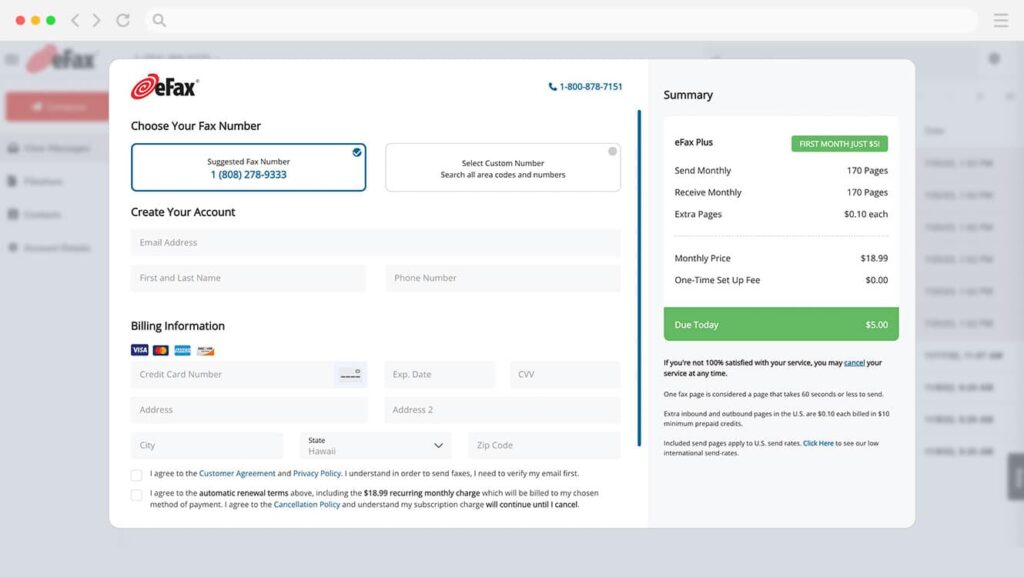
1. Sign up for eFax
The first easy step is to register for eFax: go to our sign up page and click Sign Up. Once you’re registered, you can continue to install and open eFax messenger.
2. Install and Open eFax Messenger
Download the free eFax Messenger software, then open it to begin sending and receiving faxes using an intuitive interface.
3. Compose Your Fax
To compose your fax, simply click Send a Fax and fill in the recipient details. You can also include a message to send with the digital fax.
4. Upload Your Attachments
You can attach up to 10 documents to send with your fax. Click Browse and make your selections! eFax supports JPEG, PDF and hundreds of other file types to flexibly fit your faxing needs.
5. Hit Send and That’s It
You’re nearly done! Just click Send, and your fax is reliably on its way to its recipient. For